


360° Visual Patrol Software for Reality Remote Management
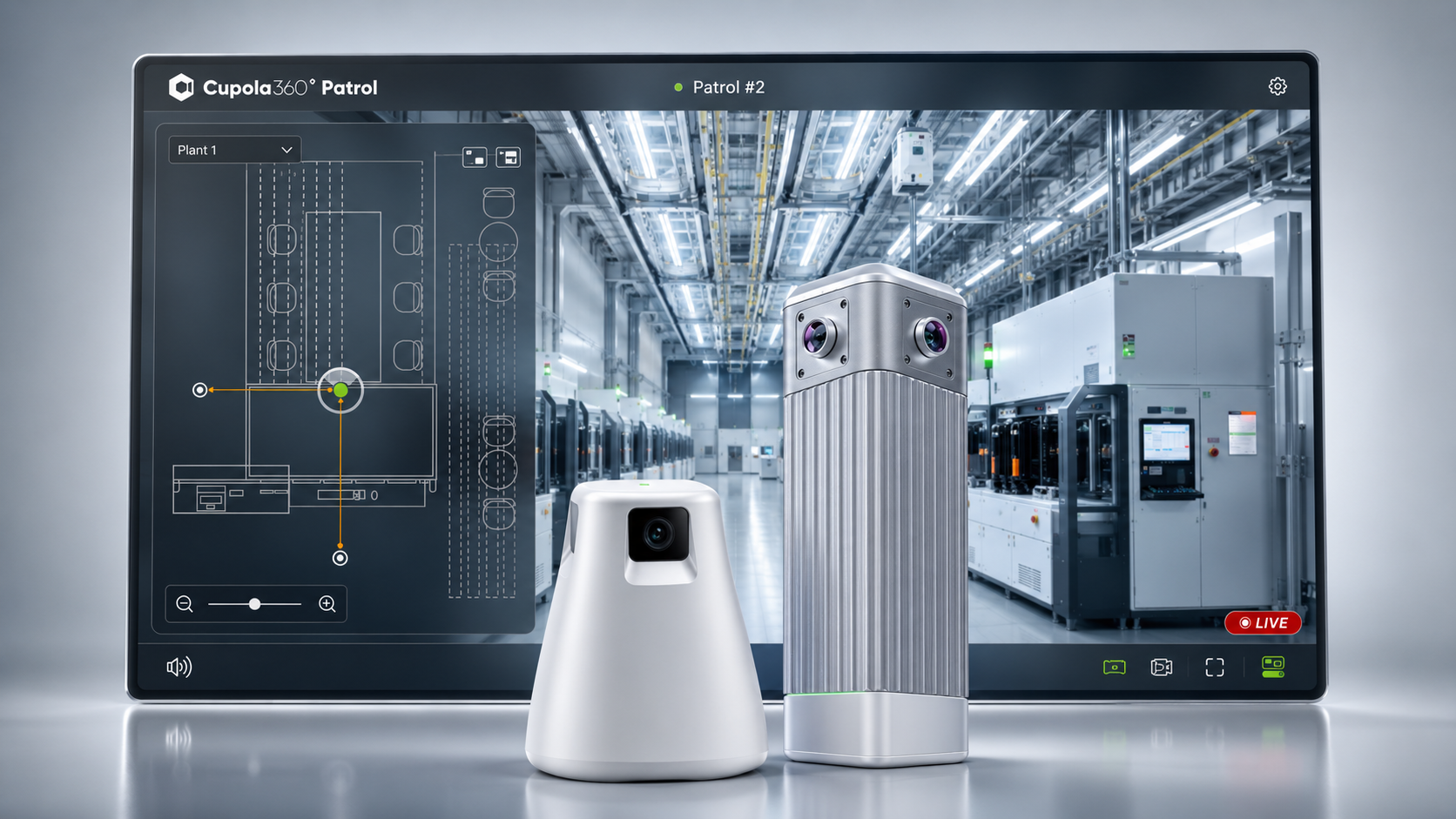
Cupola360 Patrol turns panoramic camera streams, floor plans, AI events, IoT status, and visual overlays into a remote visual patrol workflow — helping teams inspect, understand, and manage physical sites from anywhere.
3
How Patrol Works
A software layer for 360° monitoring, patrol, and review
1
Connect Cameras
Add compatible Cupola360 cameras by IP address, or connect supported video streams such as RTSP or RTMP depending on the system configuration.'
2
Deploy on Floor Plans
Create sites, upload floor plan images, and place cameras freely on the map for clearer site layout management.
3
Configure Patrol Workflows
Set patrol routes, viewing angles, keyframes, OSD information, trigger actions, and playback settings to create repeatable visual inspection flows.
4
Monitor, Analyse, and Review
View live 360° scenes, use multi-view monitoring, display OSD information, review 360° recordings, and support AI-assisted event workflows.
Core Software Features
Turn panoramic camera streams into visual patrol workflows.
360° View Support
View Cupola360 camera streams in an immersive 360° perspective directly within Patrol.
Floor Plan Integration
Upload floor plans and place cameras anywhere on the map for clearer deployment and monitoring.
Custom Patrol Routes
Create patrol workflows based on deployed 360° cameras, with configurable viewing angle, time, and route.
Recording & Playback
Record 360° video streams and review playback in the same immersive viewing experience.
Multi-view Monitoring
Monitor multiple camera views with flexible display modes, such as 1x1, 2x2, 3x3, and 4x4 layouts.
OSD, PIP-style Display & IoT Integration
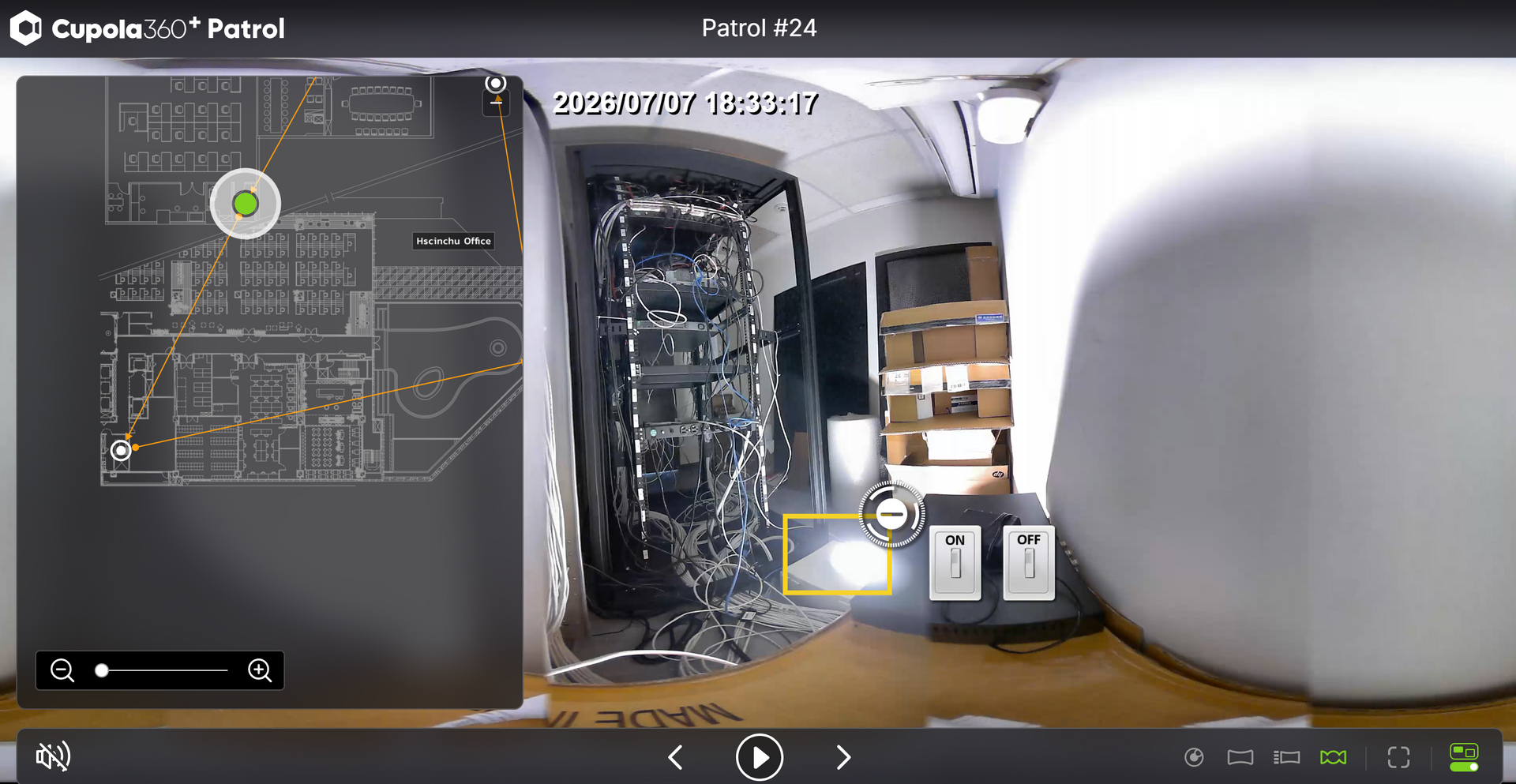
Add OSD overlays, API data, PIP-style panels, and IoT-integrated status or action displays directly on top of the video view.
Workflow Capabilities
Configure how Patrol displays visual information, runs inspection routes, processes AI events, and connects monitoring with remote response.
Visual Display
Patrol Routes
AI Event Processing
IoT and Remote Response
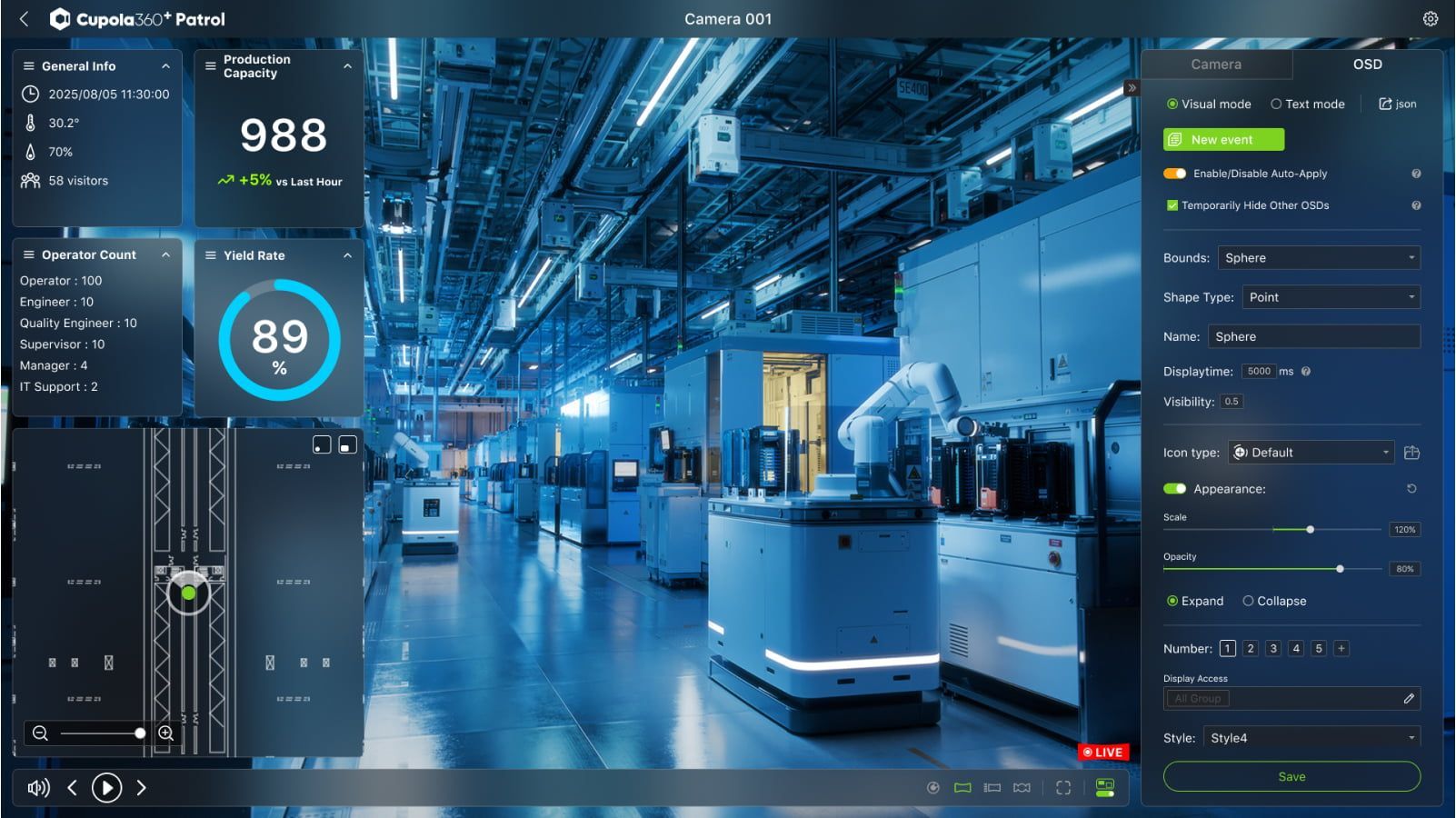
See more than just video. Patrol combines 360° views with contextual overlays, helping operators understand the scene faster.
- 360° live view with visual context
- OSD overlays for text, image, video, iframe, and API data
- PIP-style panels for secondary information
- Integration with AI events, device status, and external data through open-platform workflows
Visual Display
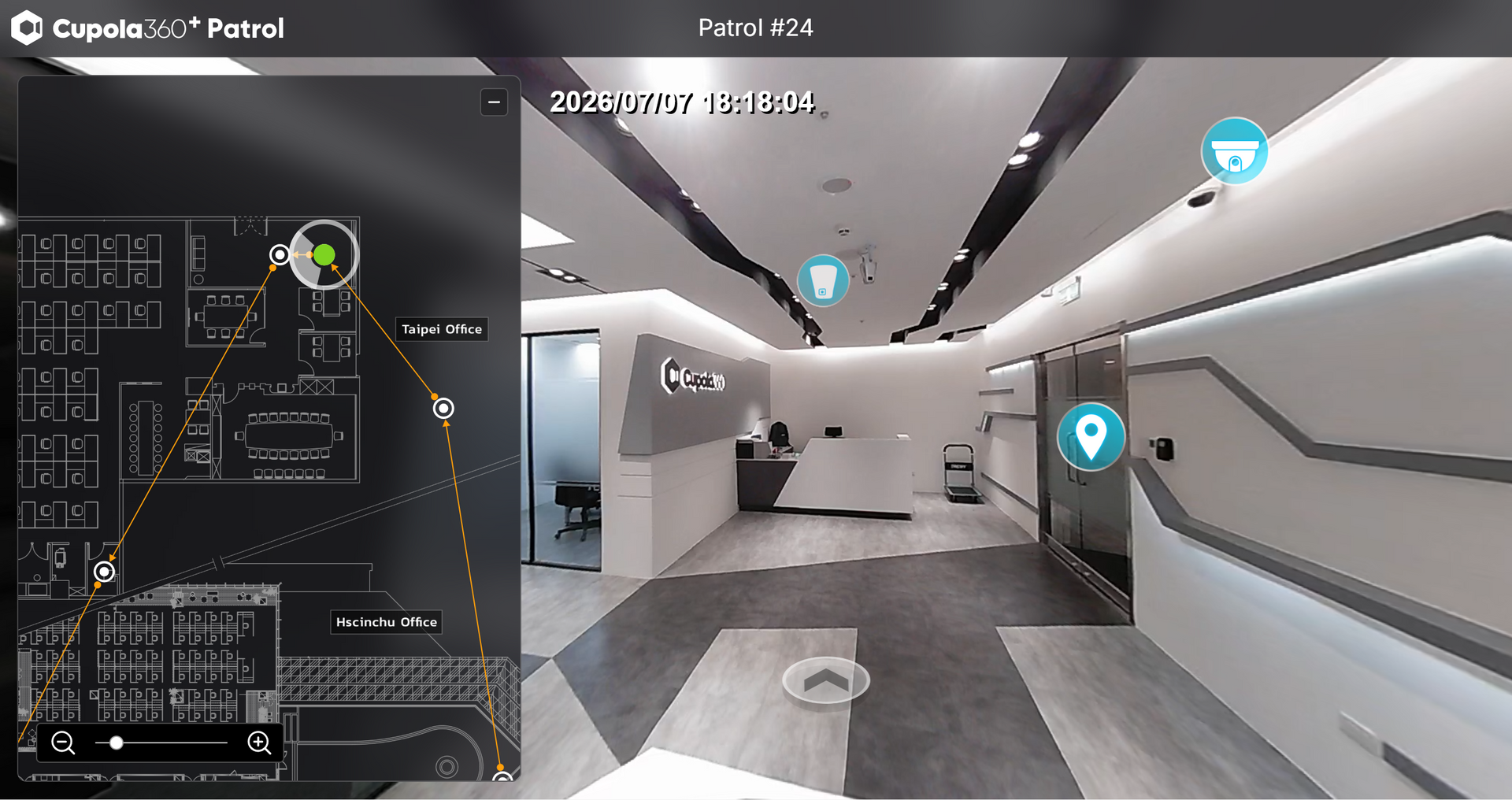
Create repeatable visual inspection workflows with configurable routes, viewing directions, and playback settings.
Highlights
- Create patrol paths between deployed cameras
- Configure viewing angle, pitch, and playback flow
- Support retrace patrol and single-camera patrol
- Fine-tune routes with keyframe editing
Patrol Routes
Use selected AI modules to analyse camera streams and present event results directly within Patrol.
Highlights
- AI-assisted event workflows inside Patrol
- Event review with 360° live view or playback
- Support for selected detection categories
- Flexible deployment depending on configuration
*Available AI capabilities may vary depending on software version, camera model, deployment environment, and configuration.
AI Event Processing
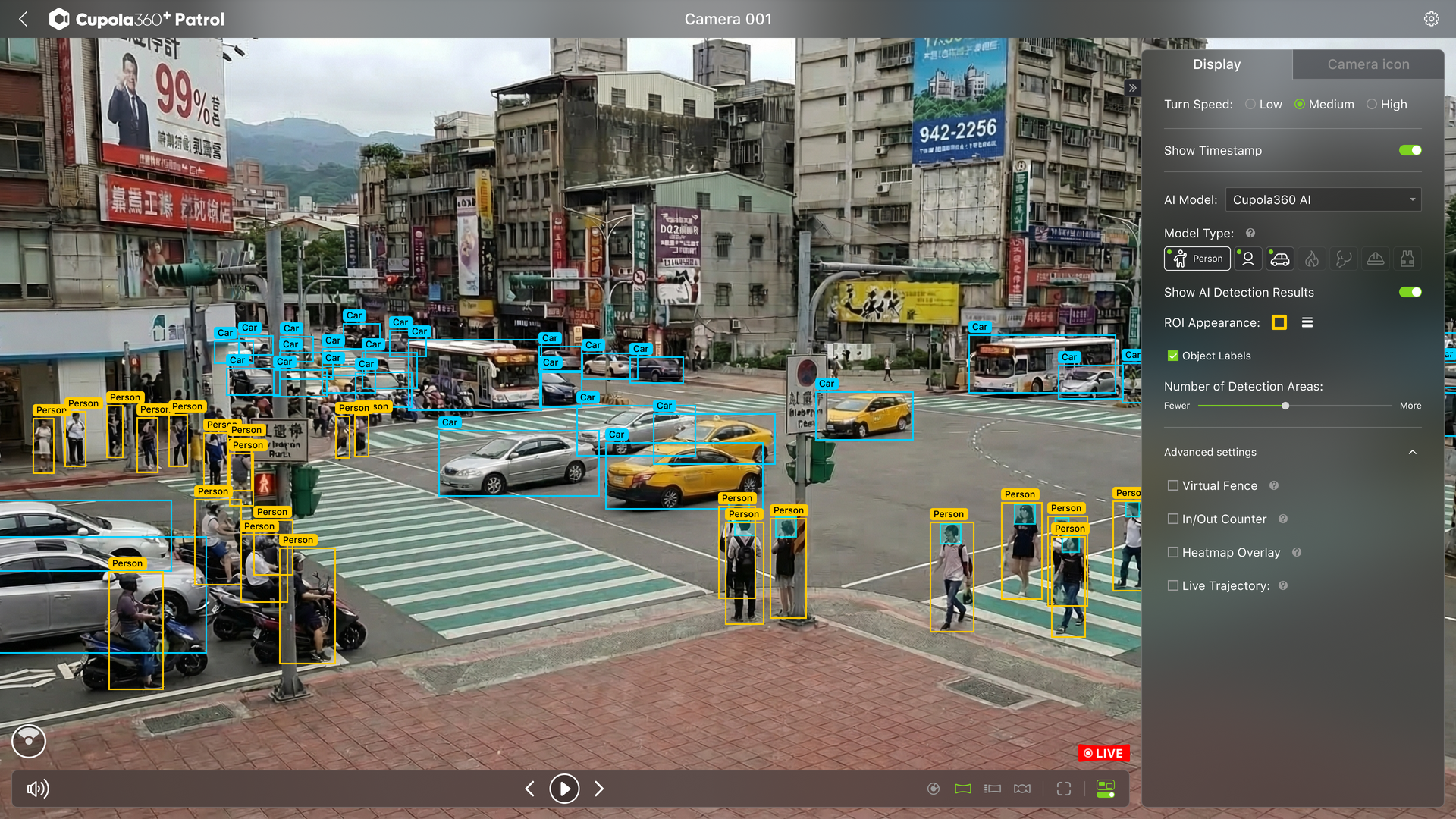
People Flow Detection
Monitor movement patterns across selected areas.
Vehicle Flow Detection
Monitor movement patterns across selected areas.
PPE Detection
Support helmet and safety vest detection workflows.
Intrusion / Virtual Fence Detection
Detect entries into defined areas or virtual boundaries.
Smoke Detection
Support smoke event awareness and visual review.
Crowd Density Heatmap
Visualise activity hotspots and crowd concentration.
IoT and Remote Response
Connect visual monitoring with selected devices and site operations for faster remote response..
Highlights
- Control selected connected devices from Patrol
- Support remote actions such as lights, alarms, or switches
- Display IoT status and API data within the interface
- Connect monitoring with response workflows
Technical Highlights
Key specifications, supported functions, and deployment input options.
1. Software Capabilities
| Category | Patrol Capability |
|---|---|
| Software Type | Downloadable visual patrol software |
| Camera Input | Compatible Cupola360 cameras; selected RTSP / RTMP stream sources depending on configuration |
| Site Setup | Site creation, floor plan upload, camera placement |
| Floor Plan Management | Duplicate, replace, search, and reorder floor plans depending on Patrol version |
| 360° View | Live 360° viewing from supported Cupola360 camera streams |
| Multi-view Display | 1x1, 2x2, 3x3, 4x4 display modes |
| Auto Viewing | 360° auto rotation and auto page switching |
| Patrol Route | Multi-camera patrol path, single patrol, retrace patrol, route playback |
| Keyframe Editing | Yaw / pitch adjustment, keyframe replacement, insert, delete, rotation direction |
| Turn Speed | Low 15°/s, Medium 30°/s, High 60°/s |
| Recording / Playback | 360° recording and playback review |
| Snapshot | Camera snapshot during patrol playback with supported firmware and configuration |
| OSD Content | Rich text, image, video, iframe, API button |
| OSD Modes | Visual Mode and Text Mode |
| OSD Export | Export selected OSD in JSON format |
| IoT / API | Supported protocol or API-based integration depending on project configuration |
| User Roles | Admin, General, Guest |
| Camera Management | Camera groups, auto scan, edit, delete, check for updates |
2. Supported Visual Input Sources
| Input Source | Usage in Patrol |
|---|---|
| Cupola360 360° Cameras | Primary input source for immersive 360° monitoring, patrol routes, recording, playback, floor plan deployment, and visual patrol workflows. |
| Traditional IP Cameras / CCTV / OSD Camera Views | Selected traditional camera streams, CCTV feeds, or OSD camera views can be displayed in Patrol through supported stream inputs or project-based configuration, providing supplementary visual context alongside 360° views. |
| Virtual 360° Cameras | Selected 360° video sources can be added as virtual 360 cameras, allowing users to review or demonstrate spatial scenes with a navigable 360° viewing experience similar to a live 360 camera. |
| Mobile 360° Camera Setups | 360° cameras can be integrated with mobile platforms such as robots or unmanned systems, allowing Patrol to support route-based mobile inspection workflows depending on project configuration. |
FAQs
Find answers about Patrol access, camera compatibility, AI modules, and project-based deployment.
Is Cupola360 Patrol a camera product or software?
Cupola360 Patrol is downloadable software. It receives compatible camera streams and provides a visual software environment for 360° viewing, floor plan monitoring, patrol route configuration, recording playback, OSD overlays, and AI detection.
What input sources does Patrol support?
Cupola360 Patrol is primarily designed for Cupola360 360° camera streams. Patrol can also display selected traditional IP camera / CCTV streams through RTSP / RTMP protocols, and may support 360° video sources or mobile 360° camera setups depending on configuration and project requirements.
Can Patrol display multiple camera views at the same time?
Yes. Patrol supports multi-view display modes, including 1x1, 2x2, 3x3, and 4x4 layouts, with optional 360° auto rotation and auto page switching.
Can users create custom patrol routes?
Yes. Users can create patrol routes, define initial views, configure pitch, use retrace patrol, play back saved routes, and fine-tune routes with keyframe editing.
Does Patrol support OSD overlays and IoT integration?
Yes. Patrol supports OSD overlays such as text, images, videos, iframe content, API data, and PIP-style panels. Depending on the project configuration, Patrol can also display IoT status or connect with selected device action workflows through supported protocols or API-based integration.
Does Patrol include AI detection?
Patrol can support selected AI modules for compatible camera streams. Available AI functions may vary depending on software version, camera model, deployment environment, and selected configuration.
Can Patrol manage users and permissions?
Yes. Patrol supports user roles such as Admin, General, and Guest, allowing different levels of access and configuration permission.
How is Patrol provided?
Cupola360 Patrol is currently provided with selected Cupola360 camera deployments. Eligible camera packages include one year of Patrol software access. Available features may vary by camera model, software version, firmware, deployment environment, and project configuration.
Can I buy Patrol separately?
Standalone software purchase is not currently available for direct online ordering. For project-based deployments or larger software requirements, please contact us to discuss available options.
Can AI functions be customized?
Selected AI modules and project-based AI workflows can be evaluated based on the use case. Custom AI availability depends on the environment, camera placement, data conditions, model readiness, and project scope.
Ready to turn camera streams into remote visual patrol workflows?
Cupola360 Patrol helps connect panoramic camera streams, AI events, IoT status, and visual overlays into one remote visual patrol workflow